German // SystemBuilder // a user license › See more product details; Product description Product Description Important: The product does not contain a disk. How do I get backup disk? You can order backup disks from Microsoft for the Office edition you purchased for a small fee, or download backup files directly and free of charge from the Microsoft homepage (www.microsoft.com/office/backup). Alternatively, you can create a backup yourself at any time, for example with the backup function of Windows Vista Business or Windows Vista Ultimate. Microsoft Office Basic 2007 includes basic applications for new PCs to help users in the home and small business get their tasks done faster and easier. Office Basic 2007 includes Word 2007, Excel 2007, and Outlook 2007. Word 2007 With Office Word 2007, users can create professional documents using a comprehensive set of writing tools in a new user interface. With a variety of revision, comment and comparison features, you can quickly collect and manage feedback from colleagues. Spend more time writing and less time formatting. A new, results-driven user interface displays tools clearly and structured when you need them. Live preview, predefined style catalogs, spreadsheet formats, and other content help you get better from the features of Office Word 2007. Add frequently used content to your documents with just a few clicks. Office Word 2007 introduces building blocks that allow you to add frequently used content to your documents. Choose from a predefined gallery of cover sheets, text quotes, headers and footers to create more professional documents. You can even create your own building blocks to make it easier to add custom text, such as for a legal waiver or other commonly used material. The MS Office packages at a glance: which version... Communicate more effectively with powerful graphics. New chart features, including three-dimensional shapes, transparency, drop shadows and other effects, make it easier to create professional graphics that result in more effective documents. Quickly give your documents a new look and behavior. With quick format templates and document designs, you can change the look of text, spreadsheets and graphics throughout the document to match your preferred format or color scheme. Quickly compare two versions of a document. Office Word 2007 makes it easy to find out what changes have been made to a document: A new three-panel review window lets you view both document versions. Deleted, inserted and moved text is clearly marked. Remove unwanted information from your documents. The Document Inspector, a new feature, can remove comments, tracked changes, metadata, and other information from your documents. Protect your documents with a digital signature. Office Word 2007 lets you digitally sign your documents so readers know they haven't been changed since you last edited. ... exactly meets your requirements? Take advantage of smaller file sizes and improved damage recovery. The new Microsoft Office Open XML formats are file formats with compression and segmentation that greatly reduce file size and easily restore damaged files. Excel 2007 Office Excel 2007 is a powerful tool for analyzing, sharing, and managing information that enables you to make better decisions because more informed decisions. Office Excel 2007 offers a new, results-driven user interface, easy-to-create and use PivotTable views, advanced formula creation, feature-rich data visualization, and faster creation of professional charts and tables. Use the results-driven user interface. Find the tools you want when you need them with the results-driven user interface of Office Excel 2007. Office Excel 2007 shows you based on the task you want to complete, such as For example, create a table or write a formula, which specifies appropriate commands. Import, manage, and search massive amounts of data in significantly expanded spreadsheets. Office Excel 2007 supports tables with up to one million rows and 16,000 columns. So you no longer have to work with multiple spreadsheets or other applications when you want to analyze rich information. The new ribbon replaces the old menus and toolbars View key trends and find exceptions in your data. In Office Excel 2007, you can now easily apply conditional formatting to your information. Discover specific patterns and highlight trends in your data through visualization options such as gradients, thresholds and performance counter icons. Instantly create the right formulas with AutoCompletion. The auto-complete formulas feature in Office Excel 2007 enables faster formula creation, from writing functions and completing arguments to referencing named ranges and tables within a formula. Galleries: Insert building blocks into documents with just one mouse click Create reports in a flash with Page Layout View. With Page Layout View in Office Excel 2007, you can quickly give your spreadsheet a consistent and professional look. You can also edit headers and footers, select predefined styles for worksheet cells, and insert images and graphics from Microsoft Office. Communicate your analytics with professional charts. Create professional charts faster and with fewer mouse clicks using chart creation tools in the new user interface in Office Excel 2007. Apply extensive visual enhancements to your charts, such as 3D effects, soft shadows and transparency. Excel's new XML format lets you share information more efficiently. Reduce spreadsheet file size and improve interoperability with other data sources by using the new Microsoft Office Open XML formats. Outlook 2007 Office Outlook 2007 provides an integrated solution for managing your time and information, enabling connections across borders. You yourself control the use of the information you reach. Office Outlook 2007 offers innovations that help you quickly browse your communications, organize your work, and share your information with others – all from one central location. Search emails including attachments by keywords Search all your information right away. With built-in Instant Search, you can find all the information you are looking for directly from the Office Outlook 2007 user interface. Office Outlook 2007 Instant Search lets you search your information, including email attachments, by keywords. Get more specific results by further refining your search using the useful criteria in the Instant Search area. Manage your daily priorities. The To-Do Bar lets you structure your day and manage your priorities. The to-do bar gives you a consolidated view of your calendar, upcoming appointments, tasks, and flagged emails, so you can easily implement your information. Achieve better results faster with the newly designed user interface. Office Outlook 2007 includes a newly designed user interface. This makes it easier and more intuitive to write and format emails and related actions. All the rich features and features of Office Outlook 2007 are now in one easy-to-access and find location within the message. Assign emails and tasks to different (color) categories Identify information visually. With Office Outlook 2007 color categories, you can easily personalize information of any kind and add categories to them. Color categories provide an easy visual distinction between elements that allows you to easily manage your data and browse your information. See the content of email attachments with a click of a mouse. Access to email attachments often requires multiple operational steps, and there's no easy way to quickly assess content. With Attachment Preview, you can easily view attachments directly in Office Outlook 2007 with a click of a mouse. This saves time and effort. Work with RSS subscriptions in Office Outlook 2007. You can now subscribe to Really Simple Syndication (RSS) feeds directly in Office Outlook 2007, the most convenient place to manage this information. Getting started adding RSS feeds from the RSS subscription home page in Office Outlook 2007 is easy. Avoid junk emails and reduce the risk of malicious websites. The junk email filter already introduced in Microsoft Office Outlook 2003 prevents spam from entering your inbox. The Office Outlook 2007 Junk Email Filter includes additional features to protect you from disclosing your personal information. New anti-phishing features disable threatening links and warn you of email content that may be malicious or from phishers. Includes Word 2007, Excel 2007, and Outlook 2007 applications New user interface for intuitive and faster work Increase productivity with custom building blocks, designs and layouts Reduced document size and increased security against data loss thanks to XML support Remove unwanted information from documents, such as such as comments, tracked changes, personal information, etc. Create professional diagrams regardless of application Advanced security features to protect against junk email and phishing Subscription to RSS feeds in Outlook 2007 Built-in instant search for email browsing including attachments Requirements Windows XP SP2 or higher / Server 2003 or higher; processor with at least 500 MHz; min. 256 MB RAM; screen resolution min. 800x600 (1024x768 or higher recommended); DVD drive; 2GB free hard disk space; Internet connection for activating products; Internet Explorer 6.0 with service packs; 1GHz CPU and 512MB RAM. Legal Disclaimer No return and guarantee as this is a private sale; Product description Product Description Important: The product does not contain a disk. How do I get backup disk? You can order backup disks from Microsoft for the Office edition you purchased for a small fee, or download backup files directly and free of charge from the Microsoft homepage (www.microsoft.com/office/backup). Alternatively, you can create a backup yourself at any time, for example with the backup function of Windows Vista Business or Windows Vista Ultimate. Microsoft Office Basic 2007 includes basic applications for new PCs to help users in the home and small business get their tasks done faster and easier. Office Basic 2007 includes Word 2007, Excel 2007, and Outlook 2007. Word 2007 With Office Word 2007, users can create professional documents using a comprehensive set of writing tools in a new user interface. With a variety of revision, comment and comparison features, you can quickly collect and manage feedback from colleagues. Spend more time writing and less time formatting. A new, results-driven user interface displays tools clearly and structured when you need them. Live preview, predefined style catalogs, spreadsheet formats, and other content help you get better from the features of Office Word 2007. Add frequently used content to your documents with just a few clicks. Office Word 2007 introduces building blocks that allow you to add frequently used content to your documents. Choose from a predefined gallery of cover sheets, text quotes, headers and footers to create more professional documents. You can even create your own building blocks to make it easier to add custom text, such as for a legal waiver or other commonly used material. The MS Office packages at a glance: which version... Communicate more effectively with powerful graphics. New chart features, including three-dimensional shapes, transparency, drop shadows and other effects, make it easier to create professional graphics that result in more effective documents. Quickly give your documents a new look and behavior. With quick format templates and document designs, you can change the look of text, spreadsheets and graphics throughout the document to match your preferred format or color scheme. Quickly compare two versions of a document. Office Word 2007 makes it easy to find out what changes have been made to a document: A new three-panel review window lets you view both document versions. Deleted, inserted and moved text is clearly marked. Remove unwanted information from your documents. The Document Inspector, a new feature, can remove comments, tracked changes, metadata, and other information from your documents. Protect your documents with a digital signature. Office Word 2007 lets you digitally sign your documents so readers know they haven't been changed since you last edited. ... exactly meets your requirements? Take advantage of smaller file sizes and improved damage recovery. The new Microsoft Office Open XML formats are file formats with compression and segmentation that greatly reduce file size and easily restore damaged files. Excel 2007 Office Excel 2007 is a powerful tool for analyzing, sharing, and managing information that enables you to make better decisions because more informed decisions. Office Excel 2007 offers a new, results-driven user interface, easy-to-create and use PivotTable views, advanced formula creation, feature-rich data visualization, and faster creation of professional charts and tables. Use the results-driven user interface. Find the tools you want when you need them with the results-driven user interface of Office Excel 2007. Office Excel 2007 shows you based on the task you want to complete, such as For example, create a table or write a formula, which specifies appropriate commands. Import, manage, and search massive amounts of data in significantly expanded spreadsheets. Office Excel 2007 supports tables with up to one million rows and 16,000 columns. So you no longer have to work with multiple spreadsheets or other applications when you want to analyze rich information. The new ribbon replaces the old menus and toolbars View key trends and find exceptions in your data. In Office Excel 2007, you can now easily apply conditional formatting to your information. Discover specific patterns and highlight trends in your data through visualization options such as gradients, thresholds and performance counter icons. Instantly create the right formulas with AutoCompletion. The auto-complete formulas feature in Office Excel 2007 enables faster formula creation, from writing functions and completing arguments to referencing named ranges and tables within a formula. Galleries: Insert building blocks into documents with just one mouse click Create reports in a flash with Page Layout View. With Page Layout View in Office Excel 2007, you can quickly give your spreadsheet a consistent and professional look. You can also edit headers and footers, select predefined styles for worksheet cells, and insert images and graphics from Microsoft Office. Communicate your analytics with professional charts. Create professional charts faster and with fewer mouse clicks using chart creation tools in the new user interface in Office Excel 2007. Apply extensive visual enhancements to your charts, such as 3D effects, soft shadows and transparency. Excel's new XML format lets you share information more efficiently. Reduce spreadsheet file size and improve interoperability with other data sources by using the new Microsoft Office Open XML formats. Outlook 2007 Office Outlook 2007 provides an integrated solution for managing your time and information, enabling connections across borders. You yourself control the use of the information you reach. Office Outlook 2007 offers innovations that help you quickly browse your communications, organize your work, and share your information with others – all from one central location. Search emails including attachments by keywords Search all your information right away. With built-in Instant Search, you can find all the information you are looking for directly from the Office Outlook 2007 user interface. Office Outlook 2007 Instant Search lets you search your information, including email attachments, by keywords. Get more specific results by further refining your search using the useful criteria in the Instant Search area. Manage your daily priorities. The To-Do Bar lets you structure your day and manage your priorities. The to-do bar gives you a consolidated view of your calendar, upcoming appointments, tasks, and flagged emails, so you can easily implement your information. Achieve better results faster with the newly designed user interface. Office Outlook 2007 includes a newly designed user interface. This makes it easier and more intuitive to write and format emails and related actions. All the rich features and features of Office Outlook 2007 are now in one easy-to-access and find location within the message. Assign emails and tasks to different (color) categories Identify information visually. With Office Outlook 2007 color categories, you can easily personalize information of any kind and add categories to them. Color categories provide an easy visual distinction between elements that allows you to easily manage your data and browse your information. See the content of email attachments with a click of a mouse. Access to email attachments often requires multiple operational steps, and there's no easy way to quickly assess content. With Attachment Preview, you can easily view attachments directly in Office Outlook 2007 with a click of a mouse. This saves time and effort. Work with RSS subscriptions in Office Outlook 2007. You can now subscribe to Really Simple Syndication (RSS) feeds directly in Office Outlook 2007, the most convenient place to manage this information. Getting started adding RSS feeds from the RSS subscription home page in Office Outlook 2007 is easy. Avoid junk emails and reduce the risk of malicious websites. The junk email filter already introduced in Microsoft Office Outlook 2003 prevents spam from entering your inbox. The Office Outlook 2007 Junk Email Filter includes additional features to protect you from disclosing your personal information. New anti-phishing features disable threatening links and warn you of email content that may be malicious or from phishers. Includes Word 2007, Excel 2007, and Outlook 2007 applications New user interface for intuitive and faster work Increase productivity with custom building blocks, designs and layouts Reduced document size and increased security against data loss thanks to XML support Remove unwanted information from documents, such as such as comments, tracked changes, personal information, etc. Create professional diagrams regardless of application Advanced security features to protect against junk email and phishing Subscription to RSS feeds in Outlook 2007 Built-in instant search for email browsing including attachments Requirements Windows XP SP2 or higher / Server 2003 or higher; processor with at least 500 MHz; min. 256 MB RAM; screen resolution min. 800x600 (1024x768 or higher recommended); DVD drive; 2GB free hard disk space; Internet connection for activating products; Internet Explorer 6.0 with service packs; 1GHz CPU and 512MB RAM. Legal Disclaimer No return and guarantee as this is a private sale; Product Description Important: The product does not contain a disk. How do I get backup disk? You can order backup disks from Microsoft for the Office edition you purchased for a small fee, or download backup files directly and free of charge from the Microsoft homepage (www.microsoft.com/office/backup). Alternatively, you can create a backup yourself at any time, for example with the backup function of Windows Vista Business or Windows Vista Ultimate. Microsoft Office Basic 2007 includes basic applications for new PCs to help users in the home and small business get their tasks done faster and easier. Office Basic 2007 includes Word 2007, Excel 2007, and Outlook 2007. Word 2007 With Office Word 2007, users can create professional documents using a comprehensive set of writing tools in a new user interface. With a variety of revision, comment and comparison features, you can quickly collect and manage feedback from colleagues. Spend more time writing and less time formatting. A new, results-driven user interface displays tools clearly and structured when you need them. Live preview, predefined style catalogs, spreadsheet formats, and other content help you get better from the features of Office Word 2007. Add frequently used content to your documents with just a few clicks. Office Word 2007 introduces building blocks that allow you to add frequently used content to your documents. Choose from a predefined gallery of cover sheets, text quotes, headers and footers to create more professional documents. You can even create your own building blocks to make it easier to add custom text, such as for a legal waiver or other commonly used material. The MS Office packages at a glance: which version... Communicate more effectively with powerful graphics. New chart features, including three-dimensional shapes, transparency, drop shadows and other effects, make it easier to create professional graphics that result in more effective documents. Quickly give your documents a new look and behavior. With quick format templates and document designs, you can change the look of text, spreadsheets and graphics throughout the document to match your preferred format or color scheme. Quickly compare two versions of a document. Office Word 2007 makes it easy to find out what changes have been made to a document: A new three-panel review window lets you view both document versions. Deleted, inserted and moved text is clearly marked. Remove unwanted information from your documents. The Document Inspector, a new feature, can remove comments, tracked changes, metadata, and other information from your documents. Protect your documents with a digital signature. Office Word 2007 lets you digitally sign your documents so readers know they haven't been changed since you last edited. ... exactly meets your requirements? Take advantage of smaller file sizes and improved damage recovery. The new Microsoft Office Open XML formats are file formats with compression and segmentation that greatly reduce file size and easily restore damaged files. Excel 2007 Office Excel 2007 is a powerful tool for analyzing, sharing, and managing information that enables you to make better decisions because more informed decisions. Office Excel 2007 offers a new, results-driven user interface, easy-to-create and use PivotTable views, advanced formula creation, feature-rich data visualization, and faster creation of professional charts and tables. Use the results-driven user interface. Find the tools you want when you need them with the results-driven user interface of Office Excel 2007. Office Excel 2007 shows you based on the task you want to complete, such as For example, create a table or write a formula, which specifies appropriate commands. Import, manage, and search massive amounts of data in significantly expanded spreadsheets. Office Excel 2007 supports tables with up to one million rows and 16,000 columns. So you no longer have to work with multiple spreadsheets or other applications when you want to analyze rich information. The new ribbon replaces the old menus and toolbars View key trends and find exceptions in your data. In Office Excel 2007, you can now easily apply conditional formatting to your information. Discover specific patterns and highlight trends in your data through visualization options such as gradients, thresholds and performance counter icons. Instantly create the right formulas with AutoCompletion. The auto-complete formulas feature in Office Excel 2007 enables faster formula creation, from writing functions and completing arguments to referencing named ranges and tables within a formula. Galleries: Insert building blocks into documents with just one mouse click Create reports in a flash with Page Layout View. With Page Layout View in Office Excel 2007, you can quickly give your spreadsheet a consistent and professional look. You can also edit headers and footers, select predefined styles for worksheet cells, and insert images and graphics from Microsoft Office. Communicate your analytics with professional charts. Create professional charts faster and with fewer mouse clicks using chart creation tools in the new user interface in Office Excel 2007. Apply extensive visual enhancements to your charts, such as 3D effects, soft shadows and transparency. Excel's new XML format lets you share information more efficiently. Reduce spreadsheet file size and improve interoperability with other data sources by using the new Microsoft Office Open XML formats. Outlook 2007 Office Outlook 2007 provides an integrated solution for managing your time and information, enabling connections across borders. You yourself control the use of the information you reach. Office Outlook 2007 offers innovations that help you quickly browse your communications, organize your work, and share your information with others – all from one central location. Search emails including attachments by keywords Search all your information right away. With built-in Instant Search, you can find all the information you are looking for directly from the Office Outlook 2007 user interface. Office Outlook 2007 Instant Search lets you search your information, including email attachments, by keywords. Get more specific results by further refining your search using the useful criteria in the Instant Search area. Manage your daily priorities. The To-Do Bar lets you structure your day and manage your priorities. The to-do bar gives you a consolidated view of your calendar, upcoming appointments, tasks, and flagged emails, so you can easily implement your information. Achieve better results faster with the newly designed user interface. Office Outlook 2007 includes a newly designed user interface. This makes it easier and more intuitive to write and format emails and related actions. All the rich features and features of Office Outlook 2007 are now in one easy-to-access and find location within the message. Assign emails and tasks to different (color) categories Identify information visually. With Office Outlook 2007 color categories, you can easily personalize information of any kind and add categories to them. Color categories provide an easy visual distinction between elements that allows you to easily manage your data and browse your information. See the content of email attachments with a click of a mouse. Access to email attachments often requires multiple operational steps, and there's no easy way to quickly assess content. With Attachment Preview, you can easily view attachments directly in Office Outlook 2007 with a click of a mouse. This saves time and effort. Work with RSS subscriptions in Office Outlook 2007. You can now subscribe to Really Simple Syndication (RSS) feeds directly in Office Outlook 2007, the most convenient place to manage this information. Getting started adding RSS feeds from the RSS subscription home page in Office Outlook 2007 is easy. Avoid junk emails and reduce the risk of malicious websites. The junk email filter already introduced in Microsoft Office Outlook 2003 prevents spam from entering your inbox. The Office Outlook 2007 Junk Email Filter includes additional features to protect you from disclosing your personal information. New anti-phishing features disable threatening links and warn you of email content that may be malicious or from phishers. Includes Word 2007, Excel 2007, and Outlook 2007 applications New user interface for intuitive and faster work Increase productivity with custom building blocks, designs and layouts Reduced document size and increased security against data loss thanks to XML support Remove unwanted information from documents, such as such as comments, tracked changes, personal information, etc. Create professional diagrams regardless of application Advanced security features to protect against junk email and phishing Subscription to RSS feeds in Outlook 2007 Built-in instant search for email browsing including attachments Requirements Windows XP SP2 or higher / Server 2003 or higher; processor with at least 500 MHz; min. 256 MB RAM; screen resolution min. 800x600 (1024x768 or higher recommended); DVD drive; 2GB free hard disk space; Internet connection for activating products; Internet Explorer 6.0 with service packs; 1GHz CPU and 512MB RAM. Legal Disclaimer No return and guarantee as this is a private sale
|
 Books
Books Boxes and storage
 Ceramics
 Craft kits
 Floristry
 Jewelry making
 Knitting & Crochet
 Leatherworking
 Metalworking
 Painting
 Paper Crafting
 Sewing
 Various Craft Accessories
 Weaving
 Woodworking
 Agricultural Vehicle Parts and Equipment
 Auto Tools and Equipment
 Bicycle Carriers
 Breathalyzers
 Camper Parts and Accessories
 Car Audio & Video Accessories
 Car Audio Equipment
 Car Care & Cosmetics
 Car Floor Mats
 Car GPS Navigation
 Car Oil
 Car Painting
 Car Parts
 Car Refrigerators
 Car video equipment
 Dash Cameras
 Instruments
 NHOU anti-rust agents
 Other Car Accessories
 Radio Communication Devices
 Remote Controls
 Seat Covers
 Tyres and Accessories
 Winter Car Products
 Advent calendars
 Carnival Costumes & Accessories for Christmas
 Children Christmas Presents
 Christmas decorations
 Christmas edible gifts
 Christmas Stockings & Holders
 Christmas tree decorations
 Christmas tree stands
 Christmas trees
 Indoor & Outdoor Christmas Lights
 Nutcracker figurines and decor
 Snow globe
 Accessories
 Accessories for men
 Bags, Backpacks, Luggage
 Clothing for Kids
 Men
Men Women
Women Women's underwear
 Automotive products
 Bags
Bags Beauty and health
 Chemistry
 Children goods
 Clothing
 Discounted items
 Electrical goods
 Fishing
 Footwear
 Games
Games Hockey items
 Home and garden
 Sporting goods
 Tourism
 Beverages
 Canned & Pickled Food
 Children's Food
 Condiments & Sauces
 Cookies & Other Baked Goods
 Cooking Ingredients
 Dairy Products, Eggs & Plant-Based Alternatives
 Fish & Seafood
 Fresh & Chilled Fruits and Vegetables
 Frozen Products
 Gourmet Gifts
 Grains, Porridges & Pasta
 Healthy Eating & Diet
 Hot chocolate
 Instant Food & Ingredients
 Jams, Jellies & Spreads
 Meat, Poultry & Sausages
 Oil, Vinegar & Sauces
 Prepared Fruit & Vegetables
 Prepared Meals & Side Dishes
 Snacks and Sweets
 Spices
  Vegeterian food
 Climate equipment
 Dishes
 Doors
Doors Heating
 Home decor
 Home security
 Interior
 Lighting
 Rugs and Door Mats
 Safe
Safe Activity & Entertainment
 Car Seats & Accessories
 Child Safety
 Decoration
 GLOBBER Transport
 Health & Baby Care
 Highchairs, Seats & Accessories
 Memory Keeping
 Nappy Changing
 Nursing & Feeding;
  Potty Training & Step Stools
 School Supplies
 Strollers, Prams & Accessories;
  Toys
Toys BIO Toilets and Sanitizing Liquids
 Bird & Wildlife Care;
 Candles and vases for graves
 Carts and wagons
 Clothing and footwear
 Compost Bins
 For Picnic
 Garden Decorations
 Garden Furniture
 Garden Ponds and Accessories
 Garden Storage Organization
 Gardening
 Irrigation Systems
 Outdoor Heaters & Fire Pits
 Outdoor lighting
 Outdoor Screens and Protection
 Plant Containers and Accessories
 Plants, Seeds, and Bulbs
 Pools, Hot Tubs & Supplies
 Sprayers & Accessories
 Spreaders
 Tents
Tents Thermometers & Meteorological Instruments
 Work Tools
 Bathroom furniture
 Bedroom furniture
 Children’s Room Furniture
 Hallway Furniture
 Kitchen furniture
 Living room furniture
 Office furniture
 Bath Products
 Bathroom Safety
 For Tanning
 Gua Sha
 Hair Care
 Hair Dryers
 Hair Stylers
 Health
 Make-up
 Manicure and Pedicure Accessories
 Massagers, Foot Baths
 Other Beauty and Health Products
 Other Care Products
 Perfumes
 Sauna Products
 Shaving & Hair Removal
 Skincare Products
 Soap
Soap PUBG (PlayerUnknown's Battlegrounds)
 Board Games
 Chess
Chess Collectibles
 For parties
 Gifts and Souvenirs
 Hobbies / Miscellaneous
 Levitation
 Musical Instruments
 Puzzles
 Scientific Kits
 Big home appliances
 Built-in home appliances
 Small Home Appliances
 Cleaning and Limescale Removal Products
 Glasses, Mugs, and Tableware
 Household & Cleaning Products
 Restaurant & Bar Supplies
 Batteries, Chargers, and Accessories
 Computer Cables & Accessories
 Computer components
 Currency Detectors
 Data carriers
 Drones
 Game consoles and accessories
 Laptops and accesories
 Laptops and accessories
 Multimedia
 Network equipment
 Personal computers and monitors
 Printers and photocopiers
 Projectors and accessories
 Servers and server components
 Software
 Supplies for printers
 Tablet PCs, E-Book Readers & Accessories
 Tv/Video accessories
 Motorcycle Accessories
 Motorcycle Apparel
 Motorcycle Electronics
 Motorcycle Lighting
 Motorcycle Luggage
 Motorcycle Parts
 Motorcycle Tools
 Desk accessories
 Erasers
 Folders and registers
 Maps
Maps Office desk organizers
 Other office supplies
 Pencils
 Scissors
 Accessories for mobile and smart phones
 Apple products
 Phones, smartphones
 Power Tools
 3D Printing & Scanning
 Abrasive & Finishing Products
 Agricultural Equipment & Supplies
 Catering Equipment and Supplies
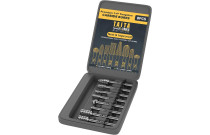 Cutting Tools
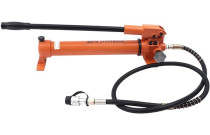 Hydraulics, Pneumatics & Plumbing
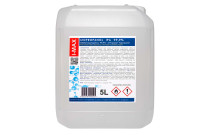 Industrial Chemicals
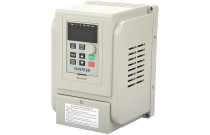 Industrial Electrical Products
 Janitorial & Sanitation Supplies
 Laboratory and Scientific Products
 Material Handling Products
 Packaging & Shipping Supplies
 Power Transmission Products
 Professional Medical Supplies
 Raw Materials
 Scales
 Testing and Measurement
 Work Safety and Health Products
 Building materials
 Cleaning Tools
 Measuring & Layout Tools
 Multi-plugs
 Nails, Screws, and Fastening Accessories
 Plumbing
 Power Tools and Hand Tools
 Protection and Security
 Testers and Meters
 Work Benches, Shelves, and Tool Cabinets
 Workplace Safety
 Workwear and Safety Footwear
 Airsoft
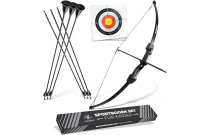 Archery
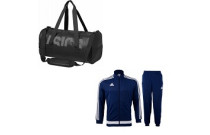 Bags, shoes and clothing
 Basketball
 Bicycles and accessories
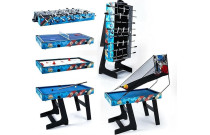 Billiards
  Exercise Equipment and Fitness
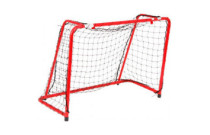 Floor Curling
 Football
 Golf
Golf Other sports
 Outdoor Sports and Games
 Paintball
 Sport Technology
 Sports & Outdoor Recreation Accessories
 Sports Nutrition and Supplements
 SUP (Stand-Up Paddleboarding)
 Supporters' Gear
 Water sports
 Winter sports
 Climbing Gear
 Fishing
 Hunting
 Outdoor Clothing & Footwear
 Tourist GPS & Other Technical Devices
 Victorinox Small Pocket Knives
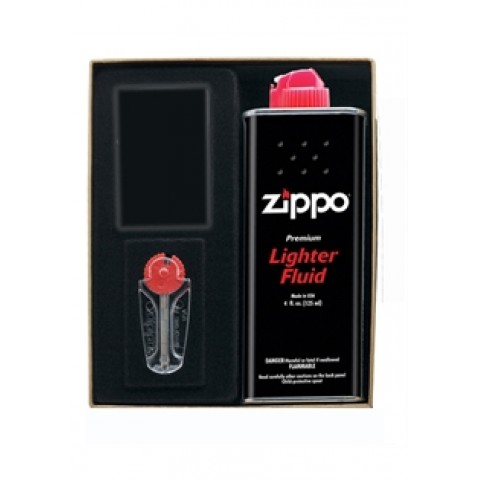 Fuel & Accessories
 Laptop Bags & Backpacks
 Luggage
 Travel Accessories
 Victorinox Swiss Knives
 ZIPPO Accessories
 Zippo Lighters
 Audio equipment
 Cables, Wires & Plugs
 Optical Equipment
 Photo Video Equipment
 Televisions and accessories
 TV, Video, and Audio Equipment Accessories
 Video equipment
 Cages and Enclosures
 Fish & Aquatic Animals
 For Birds
 For Cats
 For Dogs
 For Horses
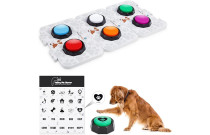 Other Pet Supplies
 Reptiles & Amphibians
 Small Animals
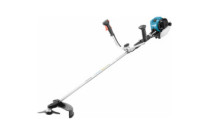 Garden Equipment
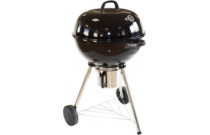 Grills and Accessories
 Small Kitchen Appliances
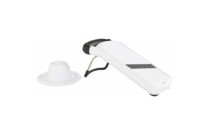 Table and kitchen accessories
 Gastronomy
 Power tools
 Tools
Tools Camping & Hiking













 Ask your questions on WhatsApp