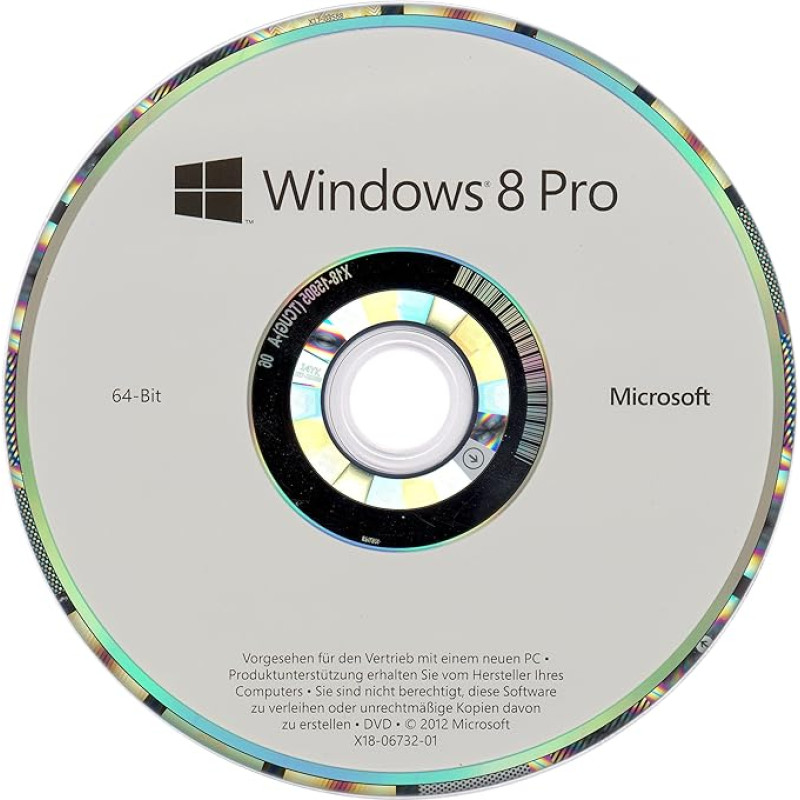
Compatible with tablets, notebooks, all-in-ones, desktop PCs Loads your settings and apps on other Windows 8 PCs More resource-saving than Windows 7 Mouse, keyboard or touch control Windows Defender protects the system from malware and other digital threats › See more product details; Product description Speed and reliability are the key to the success of the current Windows 7 operating system. Based on this, the next generation of Windows has now been reinvented – with a completely new touch user interface and for a new generation of devices. Experience a new way of operating with your fingertip and touch display as well as with mouse and keyboard, a new way to browse the web, and a new way to do everyday life with apps. Rediscover Windows! Apps for Windows 8: A perfect interaction Browse the Windows Store for interesting and popular apps that help you with your daily tasks and experience their intelligent interaction: Windows apps share information with each other to help you achieve your goals. The apps are updated via the Windows Store. The store offers the possibility of personal recommendations. With Windows 8, users can easily transfer apps and settings between multiple PCs and try them out. Developers offer unique possibilities for Windows 8 platform-independent. The new start screen presents all apps at a glance Windows 8 is suitable for tablets as well as laptops and desktops Internet Explorer 10: Less browser, more convenience Its strength is its restraint: With Internet Explorer 10, your entire screen is dedicated to what matters most to you, the Internet sites. Navigate within websites or browser operation is easy and convenient with the tap or mouse. You can easily pin your favorite sites to the Start menu right next to your apps. Internet Explorer 10 has been completely redesigned for Windows 8 devices. IE hardware acceleration promises fast and fluid visualization of websites. The Windows desktop uses the same rendering and high-performance script module. The browser is designed for maximum performance, so you can browse even faster and videos and graphics are displayed smoothly and brilliantly. In addition, more security, better privacy and a better feel. Security features such as SmartScreen and Tracking Protection work perfectly with Windows to give you more security and privacy. Advanced hardware support Browse the Windows Store for interesting and popular apps The upcoming operating system supports both x86 and ARM-based chip architectures. Chip makers such as AMD, Intel, NVIDIA, Qualcomm and Texas Instruments have already announced initial plans to work with Microsoft Optimised for landscape and portrait orientation. A Windows 8 PC is a completely new device because the user interface is suitable for small touchscreens on tablets as well as laptops and desktops. The aim is to provide excellent ease of use regardless of the design and screen orientation. Thanks to the ergonomic flexibility of tablet devices, you can use the device in the orientation that best suits your imagination and content. Energy Saving Internet Explorer 10 dedicates your entire screen to the Internet pages Windows 8 is designed to support the energy efficiency of the hardware platform, whether the system is a Windows tablet or a gaming PC. Power management interfaces are designed consistently across all platforms. This allows our hardware partners and application developers to focus more on their innovations and experiences and do not have to deal with the differences in platform hardware and power management. Accessibility Microsoft wants all users to be able to use Metro-style apps for Windows 8 on their desktop computers, laptops or new touch-enabled devices. This also applies to physically impaired people who depend on assistive technologies when using their PC. New technologies and developments pose a problem especially for physically impaired users, as many newly introduced technologies are not barrier-free. We know this from experience with previous versions of Windows and want to ensure that Windows 8 can be used by everyone from the start by providing an extensive accessibility platform for the desktop and metro features. Windows 8 makes it easy to manage and send files Refresh and reset your PC With many modern home electronic devices, there is the possibility to reset it to a predefined proper state. This feature can be deployed in a variety of ways, from the reset button on the back of a router to the option to reset a smartphone's software. Microsoft has integrated two functions in Windows 8 that allow PCs that no longer work optimally to be reset to a proper state or reset to the factory settings if you want to pass or retire the PC. Enhanced protection against all types of malware Enhancements to Windows Defender protect against all types of malware, including viruses, worms, bots, and rootkits. This includes a comprehensive set of malware signatures from the Microsoft Center to protect against malware, which is regularly deployed in conjunction with the latest Microsoft Antimalware Engine via Windows Update. This advanced set of signatures is a significant improvement over previous versions that only contained signatures for spyware, adware, and potentially unwanted software. In addition, Windows Defender now offers real-time detection and protection against malware threats using a file filtering system, and works with the secure boot of Windows, another new protection feature in Windows 8. If you use a PC that supports UEFI-based secure boot, Windows Secure Boot protects all firmware and firmware updates, and preserves the entire Windows startup path up to the antimalware driver. This is done by loading only properly signed and verified code into the startup path. This ensures that malicious code cannot be loaded during startup or restore. It also improves protection against startup sector and startup load viruses, as well as bootkit and rootkit malware to be loaded as drivers. Features: New Start Screen design: The Windows Start menu is replaced with a customizable, scalable full-screen view of apps. Tiles with notifications: Users get the most up-to-date information on their apps at a glance. Natural and easy switching between active apps. Apps can be easily and conveniently placed, shrink, or enlarge on the side of the screen. Apps use HTML5 and JavaScript to make the most of PC performance. Touch optimization for fast browsing: combined with hardware acceleration and an even more powerful Internet Explorer 10. Requirements Processor: 1 GHz or faster; RAM: 1 GB (32 bit) or 2 GB (64 bit); Hard drive space: 16 GB (32 bit) or 20 GB (64 bit); Graphics card: DirectX 9 graphics card or higher; hardware requirements may change until the final version of Windows 8 is released Additional requirements for using certain features: Touch requires a tablet or monitor that supports multi-finger input; to download and run apps from the Windows Store, you need an Internet connection and a screen resolution of at least 1024 x 768; docking apps requires a screen resolution of at least 1366 x 768; Product description Speed and reliability are the key to the success of the current Windows 7 operating system. Based on this, the next generation of Windows has now been reinvented – with a completely new touch user interface and for a new generation of devices. Experience a new way of operating with your fingertip and touch display as well as with mouse and keyboard, a new way to browse the web, and a new way to do everyday life with apps. Rediscover Windows! Apps for Windows 8: A perfect interaction Browse the Windows Store for interesting and popular apps that help you with your daily tasks and experience their intelligent interaction: Windows apps share information with each other to help you achieve your goals. The apps are updated via the Windows Store. The store offers the possibility of personal recommendations. With Windows 8, users can easily transfer apps and settings between multiple PCs and try them out. Developers offer unique possibilities for Windows 8 platform-independent. The new start screen presents all apps at a glance Windows 8 is suitable for tablets as well as laptops and desktops Internet Explorer 10: Less browser, more convenience Its strength is its restraint: With Internet Explorer 10, your entire screen is dedicated to what matters most to you, the Internet sites. Navigate within websites or browser operation is easy and convenient with the tap or mouse. You can easily pin your favorite sites to the Start menu right next to your apps. Internet Explorer 10 has been completely redesigned for Windows 8 devices. IE hardware acceleration promises fast and fluid visualization of websites. The Windows desktop uses the same rendering and high-performance script module. The browser is designed for maximum performance, so you can browse even faster and videos and graphics are displayed smoothly and brilliantly. In addition, more security, better privacy and a better feel. Security features such as SmartScreen and Tracking Protection work perfectly with Windows to give you more security and privacy. Advanced hardware support Browse the Windows Store for interesting and popular apps The upcoming operating system supports both x86 and ARM-based chip architectures. Chip makers such as AMD, Intel, NVIDIA, Qualcomm and Texas Instruments have already announced initial plans to work with Microsoft Optimised for landscape and portrait orientation. A Windows 8 PC is a completely new device because the user interface is suitable for small touchscreens on tablets as well as laptops and desktops. The aim is to provide excellent ease of use regardless of the design and screen orientation. Thanks to the ergonomic flexibility of tablet devices, you can use the device in the orientation that best suits your imagination and content. Energy Saving Internet Explorer 10 dedicates your entire screen to the Internet pages Windows 8 is designed to support the energy efficiency of the hardware platform, whether the system is a Windows tablet or a gaming PC. Power management interfaces are designed consistently across all platforms. This allows our hardware partners and application developers to focus more on their innovations and experiences and do not have to deal with the differences in platform hardware and power management. Accessibility Microsoft wants all users to be able to use Metro-style apps for Windows 8 on their desktop computers, laptops or new touch-enabled devices. This also applies to physically impaired people who depend on assistive technologies when using their PC. New technologies and developments pose a problem especially for physically impaired users, as many newly introduced technologies are not barrier-free. We know this from experience with previous versions of Windows and want to ensure that Windows 8 can be used by everyone from the start by providing an extensive accessibility platform for the desktop and metro features. Windows 8 makes it easy to manage and send files Refresh and reset your PC With many modern home electronic devices, there is the possibility to reset it to a predefined proper state. This feature can be deployed in a variety of ways, from the reset button on the back of a router to the option to reset a smartphone's software. Microsoft has integrated two functions in Windows 8 that allow PCs that no longer work optimally to be reset to a proper state or reset to the factory settings if you want to pass or retire the PC. Enhanced protection against all types of malware Enhancements to Windows Defender protect against all types of malware, including viruses, worms, bots, and rootkits. This includes a comprehensive set of malware signatures from the Microsoft Center to protect against malware, which is regularly deployed in conjunction with the latest Microsoft Antimalware Engine via Windows Update. This advanced set of signatures is a significant improvement over previous versions that only contained signatures for spyware, adware, and potentially unwanted software. In addition, Windows Defender now offers real-time detection and protection against malware threats using a file filtering system, and works with the secure boot of Windows, another new protection feature in Windows 8. If you use a PC that supports UEFI-based secure boot, Windows Secure Boot protects all firmware and firmware updates, and preserves the entire Windows startup path up to the antimalware driver. This is done by loading only properly signed and verified code into the startup path. This ensures that malicious code cannot be loaded during startup or restore. It also improves protection against startup sector and startup load viruses, as well as bootkit and rootkit malware to be loaded as drivers. Features: New Start Screen design: The Windows Start menu is replaced with a customizable, scalable full-screen view of apps. Tiles with notifications: Users get the most up-to-date information on their apps at a glance. Natural and easy switching between active apps. Apps can be easily and conveniently placed, shrink, or enlarge on the side of the screen. Apps use HTML5 and JavaScript to make the most of PC performance. Touch optimization for fast browsing: combined with hardware acceleration and an even more powerful Internet Explorer 10. Requirements Processor: 1 GHz or faster; RAM: 1 GB (32 bit) or 2 GB (64 bit); Hard drive space: 16 GB (32 bit) or 20 GB (64 bit); Graphics card: DirectX 9 graphics card or higher; hardware requirements may change until the final version of Windows 8 is released Additional requirements for using certain features: Touch requires a tablet or monitor that supports multi-finger input; to download and run apps from the Windows Store, you need an Internet connection and a screen resolution of at least 1024 x 768; docking apps requires a screen resolution of at least 1366 x 768; Speed and reliability are the key to the success of the current Windows 7 operating system. Based on this, the next generation of Windows has now been reinvented – with a completely new touch user interface and for a new generation of devices. Experience a new way of operating with your fingertip and touch display as well as with mouse and keyboard, a new way to browse the web, and a new way to do everyday life with apps. Rediscover Windows! Apps for Windows 8: A perfect interaction Browse the Windows Store for interesting and popular apps that help you with your daily tasks and experience their intelligent interaction: Windows apps share information with each other to help you achieve your goals. The apps are updated via the Windows Store. The store offers the possibility of personal recommendations. With Windows 8, users can easily transfer apps and settings between multiple PCs and try them out. Developers offer unique possibilities for Windows 8 platform-independent. The new start screen presents all apps at a glance Windows 8 is suitable for tablets as well as laptops and desktops Internet Explorer 10: Less browser, more convenience Its strength is its restraint: With Internet Explorer 10, your entire screen is dedicated to what matters most to you, the Internet sites. Navigate within websites or browser operation is easy and convenient with the tap or mouse. You can easily pin your favorite sites to the Start menu right next to your apps. Internet Explorer 10 has been completely redesigned for Windows 8 devices. IE hardware acceleration promises fast and fluid visualization of websites. The Windows desktop uses the same rendering and high-performance script module. The browser is designed for maximum performance, so you can browse even faster and videos and graphics are displayed smoothly and brilliantly. In addition, more security, better privacy and a better feel. Security features such as SmartScreen and Tracking Protection work perfectly with Windows to give you more security and privacy. Advanced hardware support Browse the Windows Store for interesting and popular apps The upcoming operating system supports both x86 and ARM-based chip architectures. Chip makers such as AMD, Intel, NVIDIA, Qualcomm and Texas Instruments have already announced initial plans to work with Microsoft Optimised for landscape and portrait orientation. A Windows 8 PC is a completely new device because the user interface is suitable for small touchscreens on tablets as well as laptops and desktops. The aim is to provide excellent ease of use regardless of the design and screen orientation. Thanks to the ergonomic flexibility of tablet devices, you can use the device in the orientation that best suits your imagination and content. Energy Saving Internet Explorer 10 dedicates your entire screen to the Internet pages Windows 8 is designed to support the energy efficiency of the hardware platform, whether the system is a Windows tablet or a gaming PC. Power management interfaces are designed consistently across all platforms. This allows our hardware partners and application developers to focus more on their innovations and experiences and do not have to deal with the differences in platform hardware and power management. Accessibility Microsoft wants all users to be able to use Metro-style apps for Windows 8 on their desktop computers, laptops or new touch-enabled devices. This also applies to physically impaired people who depend on assistive technologies when using their PC. New technologies and developments pose a problem especially for physically impaired users, as many newly introduced technologies are not barrier-free. We know this from experience with previous versions of Windows and want to ensure that Windows 8 can be used by everyone from the start by providing an extensive accessibility platform for the desktop and metro features. Windows 8 makes it easy to manage and send files Refresh and reset your PC With many modern home electronic devices, there is the possibility to reset it to a predefined proper state. This feature can be deployed in a variety of ways, from the reset button on the back of a router to the option to reset a smartphone's software. Microsoft has integrated two functions in Windows 8 that allow PCs that no longer work optimally to be reset to a proper state or reset to the factory settings if you want to pass or retire the PC. Enhanced protection against all types of malware Enhancements to Windows Defender protect against all types of malware, including viruses, worms, bots, and rootkits. This includes a comprehensive set of malware signatures from the Microsoft Center to protect against malware, which is regularly deployed in conjunction with the latest Microsoft Antimalware Engine via Windows Update. This advanced set of signatures is a significant improvement over previous versions that only contained signatures for spyware, adware, and potentially unwanted software. In addition, Windows Defender now offers real-time detection and protection against malware threats using a file filtering system, and works with the secure boot of Windows, another new protection feature in Windows 8. If you use a PC that supports UEFI-based secure boot, Windows Secure Boot protects all firmware and firmware updates, and preserves the entire Windows startup path up to the antimalware driver. This is done by loading only properly signed and verified code into the startup path. This ensures that malicious code cannot be loaded during startup or restore. It also improves protection against startup sector and startup load viruses, as well as bootkit and rootkit malware to be loaded as drivers. Features: New Start Screen design: The Windows Start menu is replaced with a customizable, scalable full-screen view of apps. Tiles with notifications: Users get the most up-to-date information on their apps at a glance. Natural and easy switching between active apps. Apps can be easily and conveniently placed, shrink, or enlarge on the side of the screen. Apps use HTML5 and JavaScript to make the most of PC performance. Touch optimization for fast browsing: combined with hardware acceleration and an even more powerful Internet Explorer 10. Requirements Processor: 1 GHz or faster; RAM: 1 GB (32 bit) or 2 GB (64 bit); Hard drive space: 16 GB (32 bit) or 20 GB (64 bit); Graphics card: DirectX 9 graphics card or higher; hardware requirements may change until the final version of Windows 8 is released Additional requirements for using certain features: Touch requires a tablet or monitor that supports multi-finger input; to download and run apps from the Windows Store, you need an Internet connection and a screen resolution of at least 1024 x 768; docking apps requires a screen resolution of at least 1366 x 768
|
 Books
Books Boxes and storage
 Ceramics
 Craft kits
 Floristry
 Jewelry making
 Knitting & Crochet
 Leatherworking
 Metalworking
 Painting
 Paper Crafting
 Sewing
 Various Craft Accessories
 Weaving
 Woodworking
 Agricultural Vehicle Parts and Equipment
 Auto Tools and Equipment
 Bicycle Carriers
 Breathalyzers
 Camper Parts and Accessories
 Car Alarm Systems
 Car Audio & Video Accessories
 Car Audio Equipment
 Car Care & Cosmetics
 Car Floor Mats
 Car GPS Navigation
 Car Oil
 Car Painting
 Car Parts
 Car Refrigerators
 Car video equipment
 Dash Cameras
 Instruments
 NHOU anti-rust agents
 Other Car Accessories
 Radio Communication Devices
 Remote Controls
 Seat Covers
 Tyres and Accessories
 Winter Car Products
 Advent calendars
 Carnival Costumes & Accessories for Christmas
 Children Christmas Presents
 Christmas decorations
 Christmas edible gifts
 Christmas Stockings & Holders
 Christmas tree decorations
 Christmas tree stands
 Christmas trees
 Indoor & Outdoor Christmas Lights
 Nutcracker figurines and decor
 Snow globe
 Accessories
 Accessories for men
 Bags, Backpacks, Luggage
 Clothing for Kids
 Men
Men Women
Women Women's underwear
 Automotive products
 Bags
Bags Beauty and health
 Chemistry
 Children goods
 Clothing
 Discounted items
 Electrical goods
 Fishing
 Footwear
 Games
Games Hockey items
 Home and garden
 Sporting goods
 Sugar
Sugar Tourism
 Beverages
 Canned & Pickled Food
 Children's Food
 Condiments & Sauces
 Cookies & Other Baked Goods
 Cooking Ingredients
 Dairy Products, Eggs & Plant-Based Alternatives
 Fish & Seafood
 Fresh & Chilled Fruits and Vegetables
 Frozen Products
 Gourmet Gifts
 Grains, Porridges & Pasta
 Healthy Eating & Diet
 Hot chocolate
 Instant Food & Ingredients
 Jams, Jellies & Spreads
 Meat, Poultry & Sausages
 Oil, Vinegar & Sauces
 Prepared Fruit & Vegetables
 Prepared Meals & Side Dishes
 Snacks and Sweets
 Spices
  Vegeterian food
 Climate equipment
 Dishes
 Doors
Doors Heating
 Home decor
 Home security
 Interior
 Lighting
 Rugs and Door Mats
 Safe
Safe Activity & Entertainment
 Car Seats & Accessories
 Child Safety
 Decoration
 GLOBBER Transport
 Health & Baby Care
 Highchairs, Seats & Accessories
 Memory Keeping
 Nappy Changing
 Nursing & Feeding;
  Potty Training & Step Stools
 School Supplies
 Strollers, Prams & Accessories;
  Toys
Toys BIO Toilets and Sanitizing Liquids
 Bird & Wildlife Care;
 Candles and vases for graves
 Carts and wagons
 Clothing and footwear
 Compost Bins
 For Picnic
 Garden Decorations
 Garden Furniture
 Garden Ponds and Accessories
 Garden Storage Organization
 Gardening
 Irrigation Systems
 Outdoor Heaters & Fire Pits
 Outdoor lighting
 Outdoor Screens and Protection
 Plant Containers and Accessories
 Plants, Seeds, and Bulbs
 Pools, Hot Tubs & Supplies
 Sprayers & Accessories
 Spreaders
 Tents
Tents Thermometers & Meteorological Instruments
 Work Tools
 Bathroom furniture
 Bedroom furniture
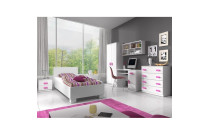 Children’s Room Furniture
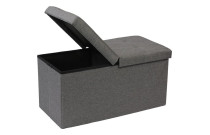 Hallway Furniture
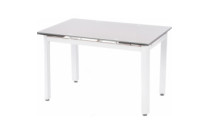 Kitchen furniture
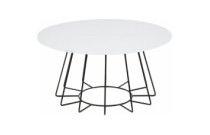 Living room furniture
 Office furniture
 Bath Products
 Bathroom Safety
 For Tanning
 Gua Sha
 Hair Care
 Hair Dryers
 Hair Stylers
 Health
 Make-up
 Manicure and Pedicure Accessories
 Massagers, Foot Baths
 Other Beauty and Health Products
 Other Care Products
 Perfumes
 Sauna Products
 Shaving & Hair Removal
 Skincare Products
 Soap
Soap PUBG (PlayerUnknown's Battlegrounds)
 Board Games
 Chess
Chess Collectibles
 For parties
 Gifts and Souvenirs
 Hobbies / Miscellaneous
 Levitation
 Musical Instruments
 Puzzles
 Scientific Kits
 Big home appliances
 Built-in home appliances
 Small Home Appliances
 Cleaning and Limescale Removal Products
 Glasses, Mugs, and Tableware
 Household & Cleaning Products
 Restaurant & Bar Supplies
 Batteries, Chargers, and Accessories
 Computer Cables & Accessories
 Computer components
 Currency Detectors
 Data carriers
 Drones
 Game consoles and accessories
 Laptops and accesories
 Laptops and accessories
 Multimedia
 Network equipment
 Personal computers and monitors
 Printers and photocopiers
 Projectors and accessories
 Servers and server components
 Software
 Supplies for printers
 Tablet PCs, E-Book Readers & Accessories
 Tv/Video accessories
 Motorcycle Accessories
 Motorcycle Apparel
 Motorcycle Electronics
 Motorcycle Lighting
 Motorcycle Luggage
 Motorcycle Parts
 Motorcycle Tools
 Desk accessories
 Erasers
 Folders and registers
 Maps
Maps Office desk organizers
 Other office supplies
 Pencils
 Scissors
 Accessories for mobile and smart phones
 Apple products
 Phones, smartphones
 Power Tools
 3D Printing & Scanning
 Abrasive & Finishing Products
 Agricultural Equipment & Supplies
 Catering Equipment and Supplies
 Cutting Tools
 Hydraulics, Pneumatics & Plumbing
 Industrial Chemicals
 Industrial Electrical Products
 Janitorial & Sanitation Supplies
 Laboratory and Scientific Products
 Material Handling Products
 Packaging & Shipping Supplies
 Power Transmission Products
 Professional Medical Supplies
 Raw Materials
 Scales
 Specialized Equipment
 Testing and Measurement
 Work Safety and Health Products
 Workshop & Garage Tools
 Building materials
 Cleaning Tools
 Measuring & Layout Tools
 Multi-plugs
 Nails, Screws, and Fastening Accessories
 Plumbing
 Power Tools and Hand Tools
 Protection and Security
 Testers and Meters
 Work Benches, Shelves, and Tool Cabinets
 Workplace Safety
 Workwear and Safety Footwear
 Airsoft
 Archery
 Bags, shoes and clothing
 Basketball
 Bicycles and accessories
 Billiards
  Exercise Equipment and Fitness
 Floor Curling
 Football
 Golf
Golf Other sports
 Outdoor Sports and Games
 Paintball
 Sport Technology
 Sports & Outdoor Recreation Accessories
 Sports Nutrition and Supplements
 SUP (Stand-Up Paddleboarding)
 Supporters' Gear
 Water sports
 Winter sports
 Climbing Gear
 Fishing
 Hunting
 Outdoor Clothing & Footwear
 Tourist GPS & Other Technical Devices
 Victorinox Small Pocket Knives
 Fuel & Accessories
 Laptop Bags & Backpacks
 Luggage
 Travel Accessories
 Victorinox Swiss Knives
 ZIPPO Accessories
 Zippo Lighters
 Audio equipment
 Cables, Wires & Plugs
 Optical Equipment
 Photo Video Equipment
 Televisions and accessories
 TV, Video, and Audio Equipment Accessories
 Video equipment
 Cages and Enclosures
 Fish & Aquatic Animals
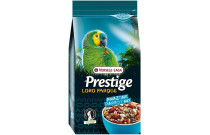 For Birds
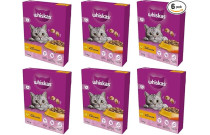 For Cats
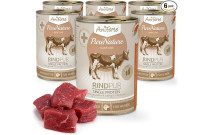 For Dogs
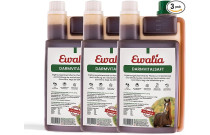 For Horses
 Other Pet Supplies
 Reptiles & Amphibians
 Small Animals
 Garden Equipment
 Grills and Accessories
 Small Kitchen Appliances
 Table and kitchen accessories
 Gastronomy
 Power tools
 Tools
Tools Camping & Hiking







![Windows 7 Home Premium 64 Bit OEM [Alte Version]](https://jusuprekes.lt/image/cache/catalog/ext4oc/19/2032641_-1403049-228x228.jpg)





 Ask your questions on WhatsApp