Quality/Durability High quality product Flexible design › See more product details; Product description The HyperDeck clip player and master recorder for live productions from the desk The HyperDeck Shuttle HD is a live production recorder/player that looks great on any desk. It is more than just a master recorder, because it can also be used as a clip player. The large scan control allows you to quickly find the desired clip from a mass of media. Support for ProRes, DNx and H.264 files in NTSC, PAL, 720p, and 1080p video formats. The HDMI ports allow you to connect mixers, cameras and monitors. And for recording and playing media, SD and UHS-II cards as well as external USB-C storage media are suitable. The HyperDeck Shuttle HD has the same design as the ATEM Mini Extreme. The perfect combination for use as a media player. It even has a built-in teleprompter! Elegantly designed professional broadcast MAZ HyperDeck Shuttle HD is designed for desktop use. It can therefore be operated with one hand on the front panel. The bevelled design allows your hand to rest comfortably on the search control and the control buttons are located directly under the fingertips. The shape is similar in depth and angle to that of the ATEM Mini Extreme and makes both an unbeatable team. The natural moment of inertia of the metal search control ensures comfortable operation and the rubberised surface provides a grippy feel. Perfect if you need to browse a lot of media! The keys are similar to those of traditional broadcast MAS and on the back you will find all the necessary video, power, network and control ports. A complete package for mastering and clip playback in live productions Masterrecorder With support for H.264, ProRes and DNx files, you can now record true broadcast masters. Choose between PCM and AAC audio! This is great when you use the HyperDeck Shuttle HD in conjunction with ATEM Mini mixers for higher quality masters. Everything is available to send your shows to broadcasters and upload them to YouTube. Media Player Visually browse your clip library with the large scan slider. The return button takes you to the beginning of your clip. At the end of the clip, you can stop playback with the same button. With an ATEM mixer, the HyperDeck Shuttle HD can even be controlled via Ethernet. Traditional MAZ controls Control HyperDeck Shuttle HD extremely fast with its control panel. The keys are similar to those of a traditional broadcast MAZ. Simply press the record button and the recording of the video input begins. This is done in the file format specified in the recording menu. In addition, there is the play button as well as the forward and return button. All have been designed by Blackmagic Design for the highest quality requirements. The large metal scan control supports Shuttle, Jog and Scroll modes to quickly find clips. All control functions can also be triggered remotely via Ethernet. For SD and UHS-II cards The HyperDeck Shuttle HD records to common SD and UHS-II cards, you don't need expensive special media. Because they are small and inexpensive, SD cards are suitable for broadcasting. You can also record to external USB drives. Even with a USB hub or Blackmagic MultiDock you go just right, because both allow non-stop recordings on multiple disks. H.264 files are very small and fit on cheap cards even during long recordings. Means 1 TB card can hold 157 hours of H.264 material in 1080p/59.94. This results in over 6 days recording time in HD! Record to external USB-C drives A USB-C expansion port is available to record to other disks such as external flash storage. Thanks to their flexible sizes, USB-C storage offers almost endless storage capacity, unlike SD cards and SSDs. It is even possible to record on a disk array for use in post-production. This saves you from copying all files before editing. Simply insert the disc into a computer and get started! By integrating a Blackmagic MultiDock 10G with 4 SSD slots into your setup with the HyperDeck Shuttle HD, you can also make these recorders SSD compatible. The settings menu allows you to manage external disks. Common ProRes, DNx and H.264 files HyperDeck Shuttle HD supports the most common codecs. This gives you broadcast-quality DNx and ProRes file formats, but also has the option to switch to space-saving H.264 when recording in NTSC, PAL, 720p, 1080p and even true 1080i formats. With compression ratios from 60:1 to 285:1, you get tiny files at full broadcast quality. Choose from uncompressed PCM audio or even AAC audio for file uploads to YouTube. The HyperDeck Shuttle HD supports both ExFAT on Windows and HFS+ on Mac. This allows data carriers to be connected to and read from both platforms. Even long duration events can be recorded as a single video file. Powerful video and control ports Despite its small size, the HyperDeck Shuttle HD offers powerful ports. The HDMI input is used to connect a camera or mixer such as an ATEM Mini. The HDMI output can be connected to a monitor for presentations or to an ATEM Mini as a media player for long-form material. Feed your ATEM Mini from HyperDeck Shuttle HD with commercials, promo or music videos! The HyperDeck Shuttle HD can be powered by the included power supply and the rear 12V DC socket. The 1G Ethernet port allows remote control and remote uploads. A USB-C expansion port is available for recording to large external storage as well as software updates or webcam output. The SD card slot supports both SD and UHS-II cards. HDMI is perfect for ATEM mini mixers. The built-in HDMI inputs and outputs allow you to connect consumer cameras, monitors, TVs, video projectors and even ATEM mini mixers. The HDMI ports automatically switch between video standards of SD and HD equipment. SD formats include NTSC and PAL. HD standards in 720p include 720p/50 and 720p/59.94fps. HD half-frame formats in 1080i include 1080i/50 and 1080i/59.94. 1080p HD formats include 1080p/23.98, 24, 25, 29.97, 30, 50, 59.94 and 60fps. The HyperDeck Shuttle HD even supports 1080 PsF formats! Integrated Teleprompter Thanks to the large scan control, the HyperDeck Shuttle HD can be used as a teleprompter. Simply select \; Product description The HyperDeck clip player and master recorder for live productions from the desk The HyperDeck Shuttle HD is a live production recorder/player that looks great on any desk. It is more than just a master recorder, because it can also be used as a clip player. The large scan control allows you to quickly find the desired clip from a mass of media. Support for ProRes, DNx and H.264 files in NTSC, PAL, 720p, and 1080p video formats. The HDMI ports allow you to connect mixers, cameras and monitors. And for recording and playing media, SD and UHS-II cards as well as external USB-C storage media are suitable. The HyperDeck Shuttle HD has the same design as the ATEM Mini Extreme. The perfect combination for use as a media player. It even has a built-in teleprompter! Elegantly designed professional broadcast MAZ HyperDeck Shuttle HD is designed for desktop use. It can therefore be operated with one hand on the front panel. The bevelled design allows your hand to rest comfortably on the search control and the control buttons are located directly under the fingertips. The shape is similar in depth and angle to that of the ATEM Mini Extreme and makes both an unbeatable team. The natural moment of inertia of the metal search control ensures comfortable operation and the rubberised surface provides a grippy feel. Perfect if you need to browse a lot of media! The keys are similar to those of traditional broadcast MAS and on the back you will find all the necessary video, power, network and control ports. A complete package for mastering and clip playback in live productions Masterrecorder With support for H.264, ProRes and DNx files, you can now record true broadcast masters. Choose between PCM and AAC audio! This is great when you use the HyperDeck Shuttle HD in conjunction with ATEM Mini mixers for higher quality masters. Everything is available to send your shows to broadcasters and upload them to YouTube. Media Player Visually browse your clip library with the large scan slider. The return button takes you to the beginning of your clip. At the end of the clip, you can stop playback with the same button. With an ATEM mixer, the HyperDeck Shuttle HD can even be controlled via Ethernet. Traditional MAZ controls Control HyperDeck Shuttle HD extremely fast with its control panel. The keys are similar to those of a traditional broadcast MAZ. Simply press the record button and the recording of the video input begins. This is done in the file format specified in the recording menu. In addition, there is the play button as well as the forward and return button. All have been designed by Blackmagic Design for the highest quality requirements. The large metal scan control supports Shuttle, Jog and Scroll modes to quickly find clips. All control functions can also be triggered remotely via Ethernet. For SD and UHS-II cards The HyperDeck Shuttle HD records to common SD and UHS-II cards, you don't need expensive special media. Because they are small and inexpensive, SD cards are suitable for broadcasting. You can also record to external USB drives. Even with a USB hub or Blackmagic MultiDock you go just right, because both allow non-stop recordings on multiple disks. H.264 files are very small and fit on cheap cards even during long recordings. Means 1 TB card can hold 157 hours of H.264 material in 1080p/59.94. This results in over 6 days recording time in HD! Record to external USB-C drives A USB-C expansion port is available to record to other disks such as external flash storage. Thanks to their flexible sizes, USB-C storage offers almost endless storage capacity, unlike SD cards and SSDs. It is even possible to record on a disk array for use in post-production. This saves you from copying all files before editing. Simply insert the disc into a computer and get started! By integrating a Blackmagic MultiDock 10G with 4 SSD slots into your setup with the HyperDeck Shuttle HD, you can also make these recorders SSD compatible. The settings menu allows you to manage external disks. Common ProRes, DNx and H.264 files HyperDeck Shuttle HD supports the most common codecs. This gives you broadcast-quality DNx and ProRes file formats, but also has the option to switch to space-saving H.264 when recording in NTSC, PAL, 720p, 1080p and even true 1080i formats. With compression ratios from 60:1 to 285:1, you get tiny files at full broadcast quality. Choose from uncompressed PCM audio or even AAC audio for file uploads to YouTube. The HyperDeck Shuttle HD supports both ExFAT on Windows and HFS+ on Mac. This allows data carriers to be connected to and read from both platforms. Even long duration events can be recorded as a single video file. Powerful video and control ports Despite its small size, the HyperDeck Shuttle HD offers powerful ports. The HDMI input is used to connect a camera or mixer such as an ATEM Mini. The HDMI output can be connected to a monitor for presentations or to an ATEM Mini as a media player for long-form material. Feed your ATEM Mini from HyperDeck Shuttle HD with commercials, promo or music videos! The HyperDeck Shuttle HD can be powered by the included power supply and the rear 12V DC socket. The 1G Ethernet port allows remote control and remote uploads. A USB-C expansion port is available for recording to large external storage as well as software updates or webcam output. The SD card slot supports both SD and UHS-II cards. HDMI is perfect for ATEM mini mixers. The built-in HDMI inputs and outputs allow you to connect consumer cameras, monitors, TVs, video projectors and even ATEM mini mixers. The HDMI ports automatically switch between video standards of SD and HD equipment. SD formats include NTSC and PAL. HD standards in 720p include 720p/50 and 720p/59.94fps. HD half-frame formats in 1080i include 1080i/50 and 1080i/59.94. 1080p HD formats include 1080p/23.98, 24, 25, 29.97, 30, 50, 59.94 and 60fps. The HyperDeck Shuttle HD even supports 1080 PsF formats! Integrated Teleprompter Thanks to the large scan control, the HyperDeck Shuttle HD can be used as a teleprompter. Simply select \; The HyperDeck clip player and master recorder for live productions from the desk The HyperDeck Shuttle HD is a live production recorder/player that looks great on any desk. It is more than just a master recorder, because it can also be used as a clip player. The large scan control allows you to quickly find the desired clip from a mass of media. Support for ProRes, DNx and H.264 files in NTSC, PAL, 720p, and 1080p video formats. The HDMI ports allow you to connect mixers, cameras and monitors. And for recording and playing media, SD and UHS-II cards as well as external USB-C storage media are suitable. The HyperDeck Shuttle HD has the same design as the ATEM Mini Extreme. The perfect combination for use as a media player. It even has a built-in teleprompter! Elegantly designed professional broadcast MAZ HyperDeck Shuttle HD is designed for desktop use. It can therefore be operated with one hand on the front panel. The bevelled design allows your hand to rest comfortably on the search control and the control buttons are located directly under the fingertips. The shape is similar in depth and angle to that of the ATEM Mini Extreme and makes both an unbeatable team. The natural moment of inertia of the metal search control ensures comfortable operation and the rubberised surface provides a grippy feel. Perfect if you need to browse a lot of media! The keys are similar to those of traditional broadcast MAS and on the back you will find all the necessary video, power, network and control ports. A complete package for mastering and clip playback in live productions Masterrecorder With support for H.264, ProRes and DNx files, you can now record true broadcast masters. Choose between PCM and AAC audio! This is great when you use the HyperDeck Shuttle HD in conjunction with ATEM Mini mixers for higher quality masters. Everything is available to send your shows to broadcasters and upload them to YouTube. Media Player Visually browse your clip library with the large scan slider. The return button takes you to the beginning of your clip. At the end of the clip, you can stop playback with the same button. With an ATEM mixer, the HyperDeck Shuttle HD can even be controlled via Ethernet. Traditional MAZ controls Control HyperDeck Shuttle HD extremely fast with its control panel. The keys are similar to those of a traditional broadcast MAZ. Simply press the record button and the recording of the video input begins. This is done in the file format specified in the recording menu. In addition, there is the play button as well as the forward and return button. All have been designed by Blackmagic Design for the highest quality requirements. The large metal scan control supports Shuttle, Jog and Scroll modes to quickly find clips. All control functions can also be triggered remotely via Ethernet. For SD and UHS-II cards The HyperDeck Shuttle HD records to common SD and UHS-II cards, you don't need expensive special media. Because they are small and inexpensive, SD cards are suitable for broadcasting. You can also record to external USB drives. Even with a USB hub or Blackmagic MultiDock you go just right, because both allow non-stop recordings on multiple disks. H.264 files are very small and fit on cheap cards even during long recordings. Means 1 TB card can hold 157 hours of H.264 material in 1080p/59.94. This results in over 6 days recording time in HD! Record to external USB-C drives A USB-C expansion port is available to record to other disks such as external flash storage. Thanks to their flexible sizes, USB-C storage offers almost endless storage capacity, unlike SD cards and SSDs. It is even possible to record on a disk array for use in post-production. This saves you from copying all files before editing. Simply insert the disc into a computer and get started! By integrating a Blackmagic MultiDock 10G with 4 SSD slots into your setup with the HyperDeck Shuttle HD, you can also make these recorders SSD compatible. The settings menu allows you to manage external disks. Common ProRes, DNx and H.264 files HyperDeck Shuttle HD supports the most common codecs. This gives you broadcast-quality DNx and ProRes file formats, but also has the option to switch to space-saving H.264 when recording in NTSC, PAL, 720p, 1080p and even true 1080i formats. With compression ratios from 60:1 to 285:1, you get tiny files at full broadcast quality. Choose from uncompressed PCM audio or even AAC audio for file uploads to YouTube. The HyperDeck Shuttle HD supports both ExFAT on Windows and HFS+ on Mac. This allows data carriers to be connected to and read from both platforms. Even long duration events can be recorded as a single video file. Powerful video and control ports Despite its small size, the HyperDeck Shuttle HD offers powerful ports. The HDMI input is used to connect a camera or mixer such as an ATEM Mini. The HDMI output can be connected to a monitor for presentations or to an ATEM Mini as a media player for long-form material. Feed your ATEM Mini from HyperDeck Shuttle HD with commercials, promo or music videos! The HyperDeck Shuttle HD can be powered by the included power supply and the rear 12V DC socket. The 1G Ethernet port allows remote control and remote uploads. A USB-C expansion port is available for recording to large external storage as well as software updates or webcam output. The SD card slot supports both SD and UHS-II cards. HDMI is perfect for ATEM mini mixers. The built-in HDMI inputs and outputs allow you to connect consumer cameras, monitors, TVs, video projectors and even ATEM mini mixers. The HDMI ports automatically switch between video standards of SD and HD equipment. SD formats include NTSC and PAL. HD standards in 720p include 720p/50 and 720p/59.94fps. HD half-frame formats in 1080i include 1080i/50 and 1080i/59.94. 1080p HD formats include 1080p/23.98, 24, 25, 29.97, 30, 50, 59.94 and 60fps. The HyperDeck Shuttle HD even supports 1080 PsF formats! Integrated Teleprompter Thanks to the large scan control, the HyperDeck Shuttle HD can be used as a teleprompter. Simply select \
|
 Books
Books Boxes and storage
 Ceramics
 Craft kits
 Floristry
 Jewelry making
 Knitting & Crochet
 Leatherworking
 Metalworking
 Painting
 Paper Crafting
 Sewing
 Various Craft Accessories
 Weaving
 Woodworking
 Agricultural Vehicle Parts and Equipment
 Auto Tools and Equipment
 Bicycle Carriers
 Breathalyzers
 Camper Parts and Accessories
 Car Audio & Video Accessories
 Car Audio Equipment
 Car Care & Cosmetics
 Car Floor Mats
 Car GPS Navigation
 Car Oil
 Car Painting
 Car Parts
 Car Refrigerators
 Car video equipment
 Dash Cameras
 Instruments
 NHOU anti-rust agents
 Other Car Accessories
 Radio Communication Devices
 Remote Controls
 Seat Covers
 Tyres and Accessories
 Winter Car Products
 Advent calendars
 Carnival Costumes & Accessories for Christmas
 Children Christmas Presents
 Christmas decorations
 Christmas edible gifts
 Christmas Stockings & Holders
 Christmas tree decorations
 Christmas tree stands
 Christmas trees
 Indoor & Outdoor Christmas Lights
 Nutcracker figurines and decor
 Snow globe
 Accessories
 Accessories for men
 Bags, Backpacks, Luggage
 Clothing for Kids
 Men
Men Women
Women Women's underwear
 Beverages
 Canned & Pickled Food
 Children's Food
 Condiments & Sauces
 Cookies & Other Baked Goods
 Cooking Ingredients
 Dairy Products, Eggs & Plant-Based Alternatives
 Fish & Seafood
 Fresh & Chilled Fruits and Vegetables
 Frozen Products
 Gourmet Gifts
 Grains, Porridges & Pasta
 Healthy Eating & Diet
 Hot chocolate
 Instant Food & Ingredients
 Jams, Jellies & Spreads
 Meat, Poultry & Sausages
 Oil, Vinegar & Sauces
 Prepared Fruit & Vegetables
 Prepared Meals & Side Dishes
 Snacks and Sweets
 Spices
  Vegeterian food
 Climate equipment
 Dishes
 Doors
Doors Heating
 Home decor
 Home security
 Interior
 Lighting
 Rugs and Door Mats
 Safe
Safe Activity & Entertainment
 Car Seats & Accessories
 Child Safety
 Decoration
 GLOBBER Transport
 Health & Baby Care
 Highchairs, Seats & Accessories
 Memory Keeping
 Nappy Changing
 Nursing & Feeding;
  Potty Training & Step Stools
 School Supplies
 Strollers, Prams & Accessories;
  Toys
Toys BIO Toilets and Sanitizing Liquids
 Bird & Wildlife Care;
 Candles and vases for graves
 Carts and wagons
 Clothing and footwear
 Compost Bins
 For Picnic
 Garden Decorations
 Garden Furniture
 Garden Ponds and Accessories
 Garden Storage Organization
 Gardening
 Irrigation Systems
 Outdoor Heaters & Fire Pits
 Outdoor lighting
 Outdoor Screens and Protection
 Plant Containers and Accessories
 Plants, Seeds, and Bulbs
 Pools, Hot Tubs & Supplies
 Sprayers & Accessories
 Spreaders
 Tents
Tents Thermometers & Meteorological Instruments
 Work Tools
 Bathroom furniture
 Bedroom furniture
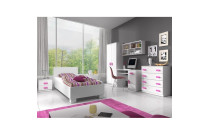 Children’s Room Furniture
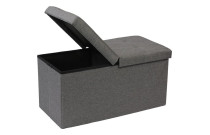 Hallway Furniture
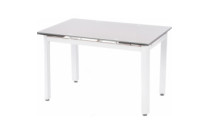 Kitchen furniture
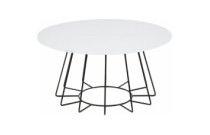 Living room furniture
 Office furniture
 Bath Products
 Bathroom Safety
 For Tanning
 Gua Sha
 Hair Care
 Hair Dryers
 Hair Stylers
 Health
 Make-up
 Manicure and Pedicure Accessories
 Massagers, Foot Baths
 Other Beauty and Health Products
 Other Care Products
 Perfumes
 Sauna Products
 Shaving & Hair Removal
 Skincare Products
 Soap
Soap PUBG (PlayerUnknown's Battlegrounds)
 Board Games
 Chess
Chess Collectibles
 For parties
 Gifts and Souvenirs
 Hobbies / Miscellaneous
 Levitation
 Musical Instruments
 Puzzles
 Scientific Kits
 Big home appliances
 Built-in home appliances
 Small Home Appliances
 Cleaning and Limescale Removal Products
 Glasses, Mugs, and Tableware
 Household & Cleaning Products
 Restaurant & Bar Supplies
 Batteries, Chargers, and Accessories
 Computer Cables & Accessories
 Computer components
 Currency Detectors
 Data carriers
 Drones
 Game consoles and accessories
 Laptops and accesories
 Laptops and accessories
 Multimedia
 Network equipment
 Personal computers and monitors
 Printers and photocopiers
 Projectors and accessories
 Servers and server components
 Software
 Supplies for printers
 Tablet PCs, E-Book Readers & Accessories
 Tv/Video accessories
 Motorcycle Accessories
 Motorcycle Apparel
 Motorcycle Electronics
 Motorcycle Lighting
 Motorcycle Luggage
 Motorcycle Parts
 Motorcycle Tools
 Desk accessories
 Erasers
 Folders and registers
 Maps
Maps Office desk organizers
 Other office supplies
 Pencils
 Scissors
 Accessories for mobile and smart phones
 Apple products
 Phones, smartphones
 Power Tools
 3D Printing & Scanning
 Abrasive & Finishing Products
 Agricultural Equipment & Supplies
 Catering Equipment and Supplies
 Cutting Tools
 Hydraulics, Pneumatics & Plumbing
 Industrial Chemicals
 Industrial Electrical Products
 Janitorial & Sanitation Supplies
 Laboratory and Scientific Products
 Material Handling Products
 Packaging & Shipping Supplies
 Power Transmission Products
 Professional Medical Supplies
 Raw Materials
 Scales
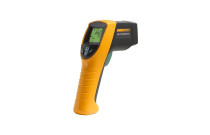 Testing and Measurement
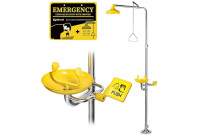 Work Safety and Health Products
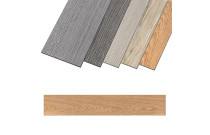 Building materials
 Cleaning Tools
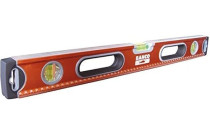 Measuring & Layout Tools
 Multi-plugs
 Nails, Screws, and Fastening Accessories
 Plumbing
 Power Tools and Hand Tools
 Protection and Security
 Testers and Meters
 Work Benches, Shelves, and Tool Cabinets
 Workplace Safety
 Workwear and Safety Footwear
 Airsoft
 Archery
 Bags, shoes and clothing
 Basketball
 Bicycles and accessories
 Billiards
  Exercise Equipment and Fitness
 Floor Curling
 Football
 Golf
Golf Other sports
 Outdoor Sports and Games
 Paintball
 Sport Technology
 Sports & Outdoor Recreation Accessories
 Sports Nutrition and Supplements
 SUP (Stand-Up Paddleboarding)
 Supporters' Gear
 Water sports
 Winter sports
 Climbing Gear
 Fishing
 Hunting
 Outdoor Clothing & Footwear
 Tourist GPS & Other Technical Devices
 Victorinox Small Pocket Knives
 Fuel & Accessories
 Laptop Bags & Backpacks
 Luggage
 Travel Accessories
 Victorinox Swiss Knives
 ZIPPO Accessories
 Zippo Lighters
 Audio equipment
 Cables, Wires & Plugs
 Optical Equipment
 Photo Video Equipment
 Televisions and accessories
 TV, Video, and Audio Equipment Accessories
 Video equipment
 Cages and Enclosures
 Fish & Aquatic Animals
 For Birds
 For Cats
 For Dogs
 For Horses
 Other Pet Supplies
 Reptiles & Amphibians
 Small Animals
 Garden Equipment
 Grills and Accessories
 Small Kitchen Appliances
 Table and kitchen accessories
 Gastronomy
 Power tools
 Tools
Tools Camping & Hiking








![Gorillaz - Demon Days Live [Limited Edition]](https://jusuprekes.lt/image/cache/catalog/ext4oc/70/1256464_-721710-228x228.jpg)
![Last Man Standing [DVD]](https://jusuprekes.lt/image/cache/catalog/ext4oc/75/1258203_-723415-228x228.jpg)

![8 Blickwinkel/Lakeview Terrace - Best of Hollywood/2 Movie Collector's Pack [2 DVDs]](https://jusuprekes.lt/image/cache/catalog/ext4oc/61/1193910_-660161-228x228.jpg)



 Ask your questions on WhatsApp